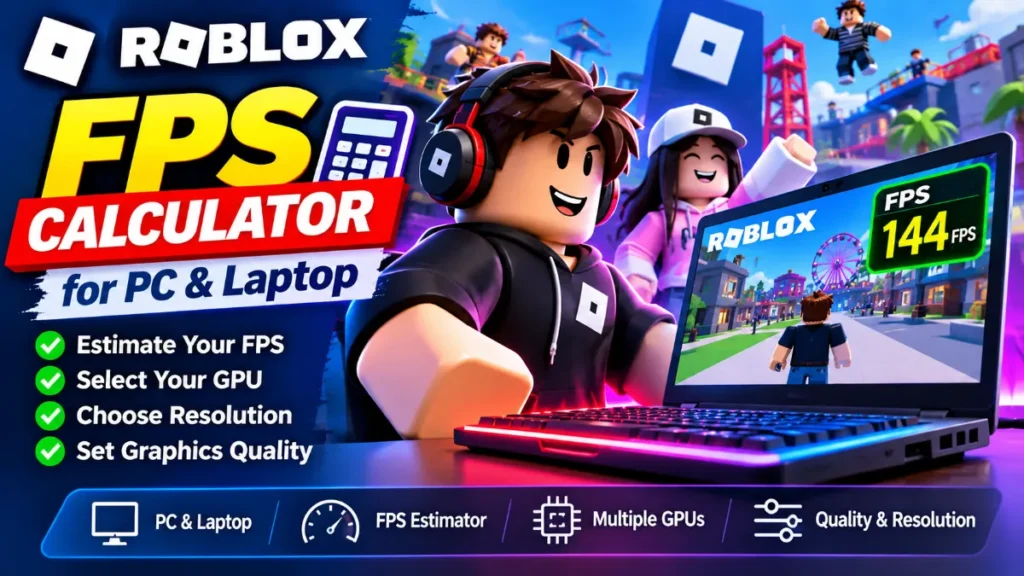
Roblox FPS estimator
Rough estimateScores are PassMark G3D averages. Roblox also runs on integrated graphics, so those are listed too. Not listed? Choose “My GPU is not listed” and type its score from videocardbenchmark.net.
Roblox limits FPS to 60 by default, and Windows players can raise the cap up to 240 in the settings.
Please read: Roblox does not publish benchmark numbers, and FPS changes a lot from one experience to another. We start from an assumption, so use the result as a rough guide. Your processor matters too, because Roblox is often limited by the CPU.
How this estimate is calculated
1. Roblox publishes only minimum requirements and no benchmark data, so we assume a GeForce GTX 1650 reaches about 120 FPS at 1080p on High quality in a typical experience. Light experiences use 180 FPS and heavy ones 60 FPS as the starting point. These are assumptions, not measurements.
2. Your result is that starting point multiplied by (your PassMark G3D score / the GTX 1650’s score of 7,881).
3. Resolution: we use the pixel ratio to the power of -0.6, because Roblox is often limited by the processor and so loses less FPS when the resolution goes up. Quality: Low x1.3, Medium x1.15, High x1.0, Max x0.85. These are assumptions too.
4. The result is limited to the FPS cap you choose. Roblox’s default cap is 60 FPS, and Windows players can raise it up to 240 FPS.
5. The range shown is the estimate plus or minus 40 percent, because the real FPS depends on the experience, the number of players and your processor.
Formula: FPS = start FPS x (your score / 7,881) x resolution factor x quality factor, then limited to your cap
Sources: Roblox requirements as summarized by clip.dor.gg, the FPS cap as quoted from Roblox Creator Hub by itechguides, and PassMark. Last updated: November 16, 2026.
Can my PC or laptop run Roblox?
Almost certainly yes. Roblox lists very modest minimum requirements, so most PCs and laptops can start it. The real question is how smooth it will be. That depends on the experience you play, your graphics quality setting and your FPS cap. The calculator above gives a rough estimate for your setup.
Roblox system requirements
As summarized from Roblox’s help center by clip.dor.gg (checked September 30, 2026), the Windows requirements are: 64-bit Windows 10 or 11, a 1.6 GHz or faster processor, 1 GB of RAM, 300 MB of storage, support for DirectX 10, and an internet connection of about 4 to 8 Mb/s. Roblox does not publish a separate recommended spec. Its advice is a PC under about five years old with a dedicated graphics card, or a laptop under about three years old with integrated graphics. Check Roblox’s own help page for the latest details.
What is the Roblox FPS cap?
According to Roblox Creator Hub, quoted by itechguides, the default client frame rate cap is 60 FPS, and Windows users can raise it up to 240 FPS. A cap is only a limit. A faster cap does not mean your PC will reach it, and a strong PC may stay at 60 FPS if you keep the default cap.
Estimated FPS by graphics card
These numbers come from the calculator above for 1080p on High quality, with the cap set to 240. They are rough estimates, and the real range can be about 40 percent higher or lower.
| Graphics | PassMark score | Typical experience | Heavy experience |
|---|---|---|---|
| Intel UHD Graphics 630 (integrated) | 1,238 | 19 | 9 |
| Intel Iris Xe (integrated) | 2,609 | 40 | 20 |
| GeForce GTX 1050 Ti | 6,313 | 96 | 48 |
| Radeon 780M (integrated) | 6,858 | 104 | 52 |
| GeForce GTX 1650 | 7,881 | 120 | 60 |
| GeForce GTX 1060 (6 GB) | 10,080 | 153 | 77 |
| GeForce RTX 3050 Laptop (6 GB) | 10,139 | 154 | 77 |
| GeForce RTX 2060 | 14,123 | 215 | 108 |
| GeForce RTX 3060 12GB | 16,861 | 240 | 128 |
| GeForce RTX 4060 | 19,883 | 240 | 151 |
The table starts from our assumption that a GTX 1650 reaches about 120 FPS in a typical experience. Roblox does not publish benchmarks, so we cannot confirm this number.
How to get more FPS in Roblox
- Lower the graphics quality. This is the easiest change, and Roblox itself suggests it if you lag.
- Raise the FPS cap if your PC is strong and your screen can show more than 60 frames per second.
- Close other programs such as browsers with many tabs and video apps.
- Update your graphics driver.
- Plug in your laptop and use a high performance power mode.
- Choose lighter experiences if you have an older laptop, because huge maps with many players ask much more from your processor.
Frequently asked questions
Can a laptop with integrated graphics run Roblox?
Yes. Roblox lists a recent laptop with integrated graphics as a workable setup, and many players use one. Lower the graphics quality if it lags.
How many FPS can Roblox run?
The default cap is 60 FPS. On Windows you can raise it up to 240 FPS, if your PC and screen can use it.
Does Roblox need a graphics card?
No dedicated card is required. A card with DirectX 10 support is enough to start, but a dedicated card helps with busy experiences.
How much RAM does Roblox need?
The published minimum is 1 GB. Many guides suggest more for heavy experiences, but Roblox does not list a recommended amount.
How accurate is this calculator?
It is a rough estimate with a plus or minus 40 percent range. Roblox publishes no benchmark data, so we start from an assumption.
More FPS calculators
Check how a game runs on your PC or laptop. All numbers are estimates, and each page explains its method.
Keep reading
Cyberpunk 2077 FPS Calculator for PC & Laptop
Cyberpunk 2077 FPS estimator Rough estimate Your device Desktop PC Laptop Graphics card (GPU or integrated graphics) Intel UHD Graphics 620 (integrated) (G3D 1,043)Intel…
Enshrouded FPS Calculator for PC & Laptop
Enshrouded FPS estimator Rough estimate Your device Desktop PC Laptop Graphics card (GPU or integrated graphics) Intel UHD Graphics 620 (integrated) (G3D 1,043)Intel UHD…
The Outlast Trials FPS Calculator for PC & Laptop
The Outlast Trials FPS estimator Rough estimate Your device Desktop PC Laptop Graphics card (GPU or integrated graphics) Intel UHD Graphics 620 (integrated) (G3D…